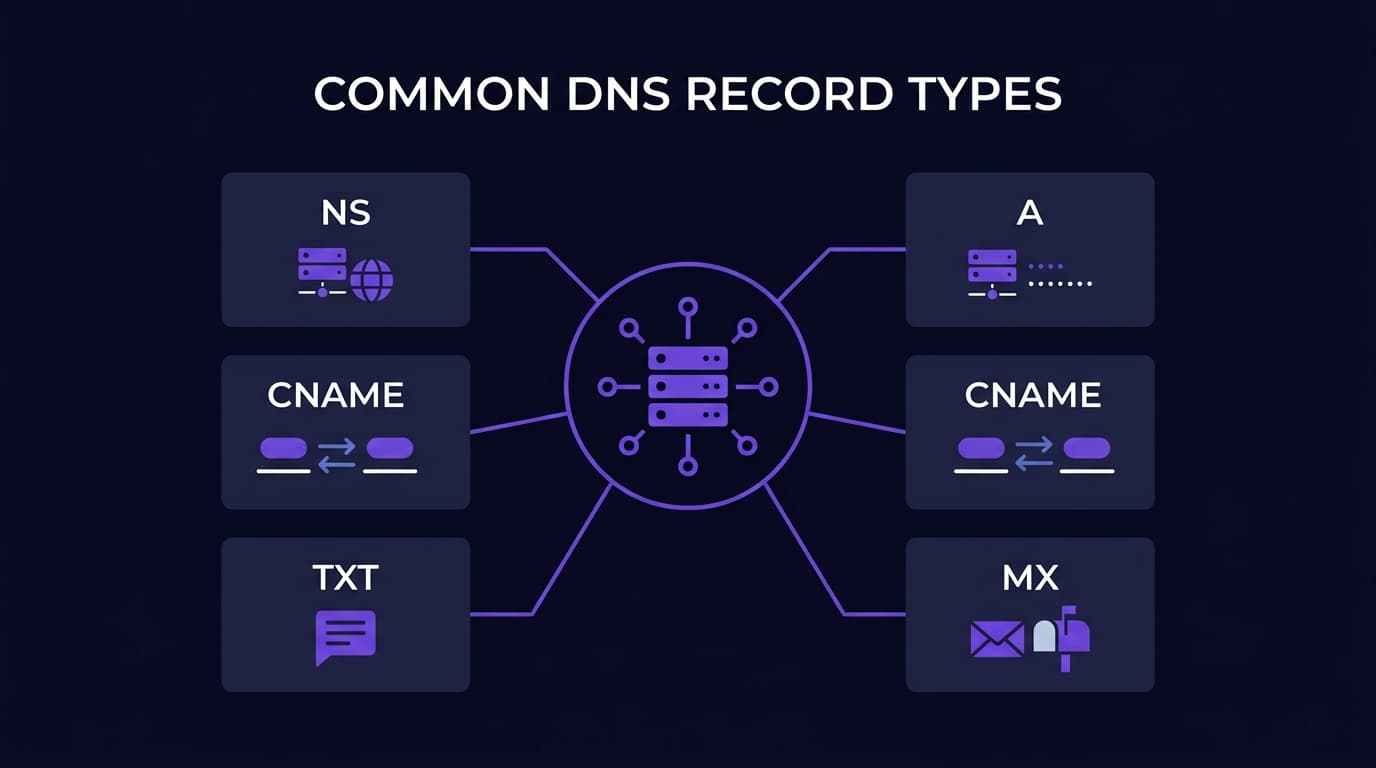
DNS Record Types Explained: A, AAAA, CNAME, MX, TXT, NS, SOA and More
If you manage websites, email, or any internet-connected service, you interact with DNS records. Understanding what each type does is the difference between confidently setting up a service and blindly copying and pasting from documentation and hoping it works.
Here is every major record type, explained clearly.
A Record (Address Record)
The most fundamental DNS record. Maps a domain name or subdomain to an IPv4 address.
Example: example.com → 93.184.216.34
When you type a domain in a browser, the A record is what ultimately tells it which server to connect to. Every website needs at least one A record.
You can have multiple A records for the same name pointing to different IPs — this distributes incoming connections across multiple servers in a simple form of load balancing called round-robin DNS.
AAAA Record (IPv6 Address Record)
The IPv6 equivalent of an A record. Maps a domain to an IPv6 address.
Example: example.com → 2606:2800:220:1:248:1893:25c8:1946
Add AAAA records alongside A records to serve visitors using IPv6 connections. IPv6 adoption continues to grow and modern hosting platforms handle both protocol versions automatically.
CNAME Record (Canonical Name)
Maps one domain name to another domain name rather than to an IP address.
Example: www.example.com → example.com
This is an alias. When someone visits www.example.com, DNS follows the CNAME to example.com, then resolves that to an IP address. CNAMEs are useful for subdomains, for pointing to external services (like blog.example.com → yoursite.substack.com), and for avoiding the need to update multiple records when an IP changes.
Important constraint: you cannot set a CNAME on the root/apex domain (example.com without any subdomain). The root domain must use an A or AAAA record. This is why most hosting panels offer an ALIAS or ANAME record type for the apex — a workaround that functions like a CNAME but is allowed at the root.
MX Record (Mail Exchanger)
Specifies which mail servers accept incoming email for a domain. Every domain that receives email needs MX records.
Example: example.com → mail.example.com (priority 10)
MX records include a priority number — lower numbers are tried first. Using multiple MX records at different priorities creates failover: if the primary mail server is unavailable, email is delivered to the secondary. Our detailed guide on MX records covers this in full.
TXT Record (Text Record)
Stores text data for various purposes. Originally for human-readable notes, TXT records now power several critical infrastructure functions:
SPF (Sender Policy Framework): lists which mail servers are authorized to send email as your domain. Essential for email deliverability. Example: v=spf1 include:_spf.google.com ~all
DKIM: publishes a public cryptographic key used to verify the signature on outgoing emails.
DMARC: a policy record that tells receiving mail servers what to do with email that fails SPF or DKIM checks.
Domain verification: Google Search Console, Facebook Business Manager, and dozens of other services ask you to add a TXT record to prove you own the domain before granting access.
ACME challenges: Let's Encrypt and other certificate authorities use DNS TXT records to verify domain ownership before issuing SSL certificates.
NS Record (Nameserver Record)
Specifies which nameservers are authoritative for the domain — meaning which servers hold the official DNS records.
Example: example.com → ns1.cloudflare.com, ns2.cloudflare.com
When you set up a domain with Cloudflare, Namecheap, or any DNS provider, you change the NS records at your registrar to point to that provider's nameservers. All other DNS records (A, MX, TXT, etc.) are then managed within that DNS provider's system.
NS records are set at the registrar level, not within the DNS zone itself. You cannot change your own NS records — you change them through your domain registrar's control panel.
SOA Record (Start of Authority)
The required administrative record at the top of every DNS zone. Contains the primary nameserver, administrator email, serial number, and timing values. You rarely edit this manually — DNS providers handle it automatically.
The serial number is important: DNS replication uses it to detect when a zone has been updated. Most providers auto-increment it.
PTR Record (Pointer Record)
The reverse of an A record. Maps an IP address back to a hostname. Used for reverse DNS lookups, email server authentication, and network diagnostics.
Unlike other records, PTR records are managed by whoever owns the IP address block — typically your hosting provider, not your registrar. Our reverse DNS guide explains when and how to set these.
What Is TTL and How Do You Manage Records Effectively?
Every record has a TTL (Time to Live) that determines how long resolvers cache it. Lower TTLs mean faster propagation of changes; higher TTLs reduce DNS query load.
Practical approach: lower TTL to 300 (5 minutes) before making planned changes to allow fast propagation. After changes are confirmed working, restore TTL to 3600 (1 hour) or higher.
Regardless of TTL, a domain that expires loses all its records instantly. Keeping domain registrations active and tracked — with automatic expiry alerts from a domain management dashboard — is the foundation everything else builds on.
Quick Answers
Never lose a domain again
Track every domain you own in one dashboard. Free for up to 15 domains.